
Where to find your order and download delivered data
How you receive an order depends on whether you purchased through your account or as a guest. Check your own order status and the selected product’s terms.
Purchases through your account
Sign in to the account used for the purchase. Open “My purchases” and find the order by its number, date and product name.
When delivery is ready, open the order data. If an order contains several products, check each section against its product name and quantity.
Guest purchases
Save the personal link from the payment window. It opens your order page with its status and delivery. Support uses the Telegram username provided at checkout.
A guest order link grants access to its data. Keep it private and do not publish it in reviews, chats or screenshots. If you lose it, contact support with the order number and proof of payment.
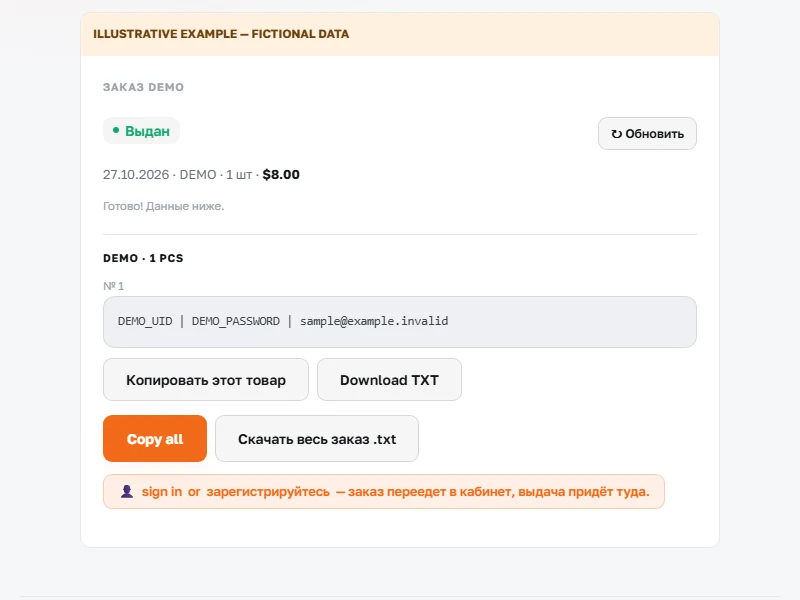
Save the data and check the quantity
- Check the status. If the product is still awaiting delivery, refresh the page later or ask support for an update.
- Use “Copy this product” or “Download TXT” in the relevant section. Orders with several products also have controls to copy or download the whole order.
- Compare the number of delivered records and their contents with your purchase. Check the checking period on that product’s page and start checking promptly after receipt.